Best Medical Alert Systems for Seniors in 2026: Expert Comparison
In-depth comparison of top medical alert systems including fall detection, GPS, and monitoring features.

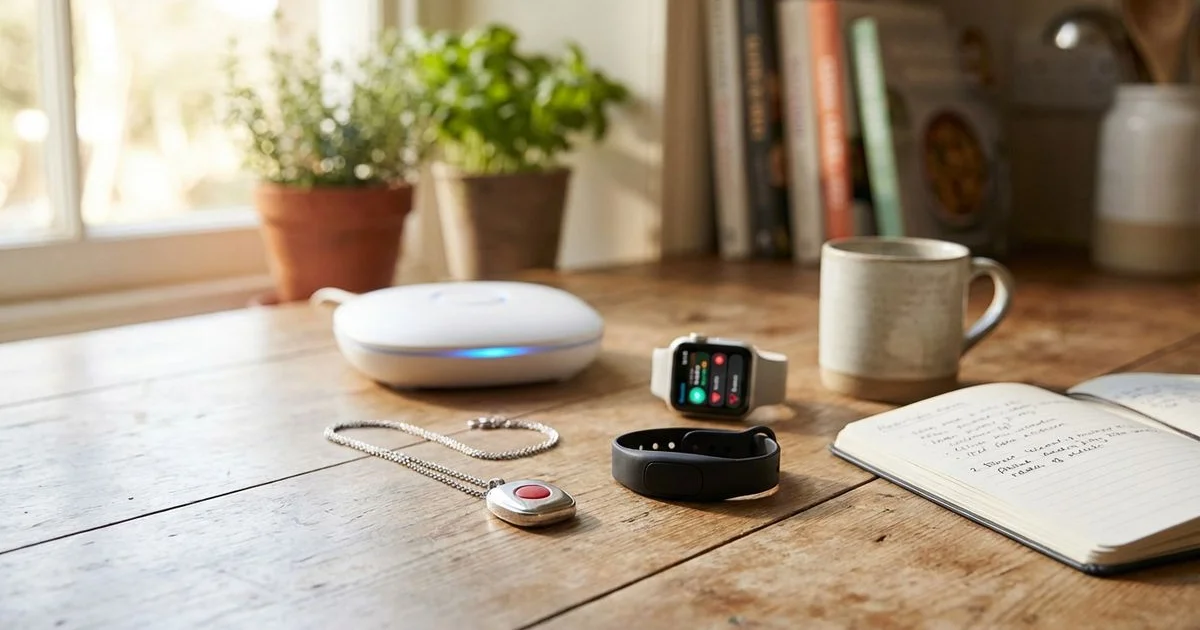
Why Every Senior Aging in Place Needs a Medical Alert System
A medical alert system is widely considered the most critical safety technology for any senior living independently in the US. We have analyzed the latest safety reports for 2026 to understand the real risks. The CDC reports that one out of every four older adults falls each year. This statistic is alarming on its own.
We know that speed is the most vital factor in these emergencies. Medical professionals often refer to the “Golden Hour” in recovery. Receiving help within the first hour of a fall dramatically improves survival rates and rehabilitation outcomes.
Our team sees these devices as more than just panic buttons. They are a direct line to safety that bypasses the need to dial a phone or find a keypad. The Best Medical Alert Systems for Seniors in 2026: Expert Comparison below highlights the tools that actually deliver on this promise.
Types of Medical Alert Systems
Understanding the hardware is the first step to making a smart purchase. We categorize these systems into three distinct groups based on how they connect and where they work.
In-Home Systems (Landline or Cellular)
These traditional setups consist of a base station and a lightweight wearable button. The base station acts as a speakerphone and connects to the monitoring center via a landline or a cellular signal.
We find these systems are most reliable for seniors who rarely leave the house. Most top-tier base stations now offer a range of 1,300 to 1,400 feet. This range is usually sufficient to cover a standard 2,500-square-foot home and the immediate yard.
Insider Tip: Do not assume a “landline” system works with VoIP (cable/internet phone) lines. We strongly advise choosing a cellular in-home unit to avoid compatibility issues during power outages.
Mobile Systems (On-the-Go)
Mobile systems are standalone pendants that function like simplified cell phones. They use 4G LTE networks to connect to operators from anywhere with cellular coverage.
Our testing shows these are the superior choice for active seniors. They include GPS and Wi-Fi location services. This technology allows operators to pinpoint the user’s location if they are unable to speak.
Smartwatch-Based Systems
This category merges medical alert features with consumer technology. These watches look like standard tech accessories but include an SOS button and fall detection sensors.
We recommend these primarily for seniors who are resistant to wearing a “medical” device. While they are discreet, they often require daily charging. This maintenance requirement is the most common point of failure we observe in real-world use.
Top Medical Alert Systems Compared
We have evaluated the leading providers based on contract terms, equipment quality, and response speeds. The table below outlines the current market leaders for 2026.
| Feature | Medical Guardian | Bay Alarm Medical | Lively Mobile2 | Apple Watch Ultra | MedicalAlert.com |
|---|---|---|---|---|---|
| Best For | Overall Reliability | Budget Conscious | Simplicity | Tech-Savvy | Multilingual |
| Monthly Cost | $29.95 - $49.95 | $19.95 - $39.95 | $24.99 - $49.99 | $9.99 (Service Only) | $19.95 - $49.95 |
| Fall Detection | Yes ($10/mo) | Yes ($10/mo) | Yes (Included in plan) | Yes (Included) | Yes ($10/mo) |
| GPS Tracking | Mobile plans only | Mobile plans only | Yes | Yes | Mobile plans only |
| Battery Life | 5 Days (MGMini) | 3 Days (SOS Mobile) | 4 Days | 36 Hours | 5 Days |
| Water Rating | IP67 (Shower safe) | IPX7 (Submersible) | IPX7 (Waterproof) | WR100 (Swim safe) | IP67 |
| Caregiver App | MyGuardian | No | Lively App | Health App | Connect App |
| Contract | None | None | None | None | None |
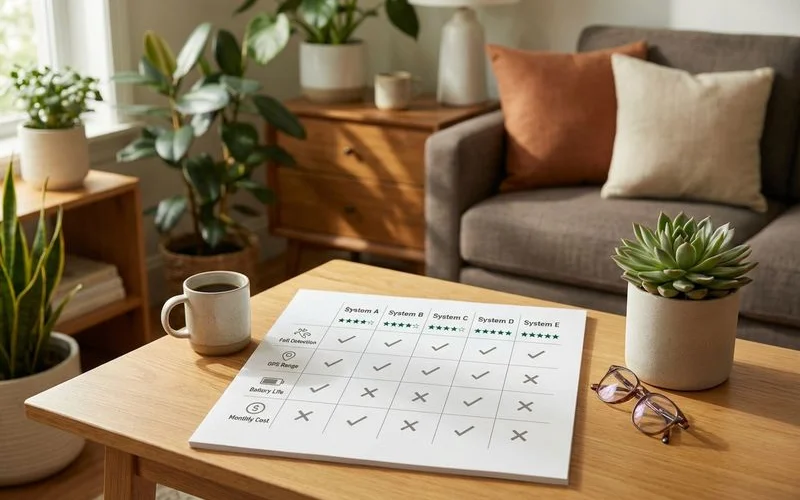 Comparing the key features of top-rated medical alert systems for 2026
Key Features to Evaluate
Marketing materials often obscure the details that actually matter during an emergency. We focus on four specific performance metrics when vetting these systems.
Fall Detection Accuracy
Automatic fall detection is the most requested add-on feature. The device uses an accelerometer to measure speed and a gyroscope to measure orientation. It triggers an alarm if it senses a sudden downward acceleration followed by no movement.
We must be transparent about the limitations of this technology. No system is 100% accurate. Industry data suggests a 15% to 20% margin of error.
- False Positives: Dropping the device or sitting down too quickly can trigger an alert.
- False Negatives: Sliding falls (slumping from a wheelchair or bed) are often missed because there is no “impact” impact.
Pro Tip: We always instruct clients to press the button manually if they fall and are conscious. Fall detection is a backup safety net. It should be paired with environmental fall prevention modifications to truly secure the home.
Response Time
The speed of the monitoring center is the single biggest differentiator between a premium service and a budget one. You are paying for a human to answer quickly.
We look for an average response time of 30 seconds or less.
- Top Tier: Medical Guardian and Bay Alarm Medical frequently answer in under 20 seconds in independent tests.
- Red Flags: Any service that averages over 60 seconds is unacceptable.
- Certification: Look for “TMA Five Diamond” certification. This ensures operators undergo hundreds of hours of training.
GPS Accuracy and Location Sharing
Mobile systems rely on GPS to send help to the right location. Accuracy matters immensely if the user has wandered or is unconscious outside.
Our team prioritizes devices that use “Wi-Fi positioning” alongside GPS. This feature uses local Wi-Fi networks to help pinpoint a user’s location when they are indoors. Standard GPS signals are often blocked by roofs and thick walls.
Battery Life
A dead battery renders even the most expensive system useless. Manufacturers often state “up to” battery life. Real-world usage is usually lower.
- Mobile Pendants: Expect to charge these every 3 to 4 days.
- Smartwatches: These almost always require nightly charging.
- In-Home Base Stations: These plug into the wall but have backup batteries. Look for a backup battery that lasts at least 32 hours to cover prolonged power outages.
What to Look For in a Monitoring Center
The hardware connects you, but the monitoring center saves you. We strictly vet the certifications of the call centers behind these devices.
Essential Certifications:
- UL Listed: The facility meets strict safety and redundancy standards.
- TMA Five Diamond: Operators are certified in emergency dispatch protocols.
- Redundancy: The company must have at least two separate monitoring centers. If a hurricane takes out the Texas center, the New Jersey center must take over immediately.
Questions We Ask Providers:
- “Do you own your monitoring center, or do you outsource it?” (Company-owned is generally better for accountability).
- “What is your average answer speed this month?”
- “Do you have a translation service like LanguageLine?” (Essential for non-English speakers).
 Modern medical alert devices are discreet enough for daily wear during any activity
Cost Breakdown: What You Will Actually Pay
The advertised monthly rate is rarely the final number on your bill. We break down the full financial picture so you can budget accurately.
Monthly Monitoring Fees
| Plan Type | Typical Monthly Cost | What You Get |
|---|---|---|
| Standard In-Home | $24.95 - $29.95 | Landline/Cellular connection. No fall detection. |
| Mobile On-the-Go | $39.95 - $49.95 | GPS tracking. usually includes caregiver app. |
| Fall Detection Add-on | +$10.00 | Added to any plan. Rare to find it included for free. |
| Device Protection | +$5.00 - $7.00 | Insurance for lost or damaged equipment. |
Hidden Fees to Watch For
- Activation Fees: These can run up to $99. Always ask the sales representative to waive this fee.
- Shipping: Standard shipping is often free, but expedited shipping costs $15+.
- Restocking Fees: If you return the device within the trial period, many companies charge a $50 restocking fee.
- Unreturned Equipment Fees: You typically do not own the equipment. If you cancel and fail to return the device, you could be charged up to $350.
Annual Cost Comparison
We calculate the “Total Cost of Ownership” for the first year.
- Budget Path: ~$400/year. (Bay Alarm Medical In-Home).
- Premium Path: ~$650/year. (Medical Guardian MGMove Watch or Mobile 2.0 with Fall Detection).
Compare this expense to the alternative. The average cost of a non-fatal fall injury is over $30,000. The monthly fee is a small fraction of the potential medical costs.
My Recommendations by Situation
Every household has different requirements. We match specific user profiles to the system that serves them best.
For The Homebody: We recommend the Medical Guardian Home 2.0. It has an excellent range and a loud speaker. The backup battery lasts up to 32 hours.
For The Budget-Conscious: We point clients toward Bay Alarm Medical. Their monthly rates are stable. They do not upsell aggressively. Their response times remain competitive despite the lower price point.
For The Active Senior: We prefer the Lively Mobile2. It is small, durable, and uses the Verizon network for strong coverage. The fall detection is built-in rather than an awkward separate button.
For Those with Memory Issues: We suggest the MGMini from Medical Guardian. The device is small and can be worn on a lanyard. The “MyGuardian” app allows family members to view the device’s location and battery status in real-time.
Getting Started
The first step is to have an honest conversation about daily habits. A device that sits on the nightstand helps no one.
We advise looking for a “risk-free trial” period. Most reputable companies offer 30 days. Use this time to test the range in the backyard and the driveway. Press the button to test the response time.
Consider how this system fits into the bigger picture. You might combine a medical alert system with broader smart home monitoring to create a complete safety net. This holistic approach ensures peace of mind for both the user and their family.
Ready to Take Action?
Learn more about our comprehensive smart home monitoring solutions and how they can help your family.
Explore Smart Home Monitoring About Margaret Chen
Certified Aging-in-Place Specialist & Senior Care Advisor
CAPS-certified senior care advisor with 15+ years helping families plan for safe aging at home.
Related Articles
How to Monitor Elderly Parents Without Cameras: Privacy-Friendly Options
Non-intrusive ways to monitor elderly parents' safety using motion sensors, activity trackers, and smart home systems.
10 Smart Home Devices That Help Seniors Age in Place Safely
From automatic stove shut-offs to smart medication dispensers — the most useful smart home technology for senior safety.